 BoothWheel
 is an offline trade show prize wheel and lead capture app for iPad and iPhone. Put it on your booth counter and let a virtual spinning wheel do the flagging down. Attendees stop, type their details, spin, and win something you chose — so the leads come to you instead of you working the aisle. You leave with a CSV instead of a stack of business cards, and none of it depended on the hall’s network.
Download free on the App Store
The part that matters on a show floor
Convention center wifi is oversubscribed, exhibit halls often have no usable signal, and the moment it drops is the moment somebody is standing at your counter waiting. BoothWheel never waits on a connection, because nothing it does needs one.
The form, the validation and the duplicate check all run on the iPad.
The wheel, your odds and your prize caps. No call out to anything.
The CSV is generated on the device, offline, whenever you want it.
Put the iPad in airplane mode for the entire show and nothing changes. The one time BoothWheel uses the network is the one-time purchase of Pro — after that it never needs it again.
Booth traffic
A wheel turning on a screen is the oldest trick on a show floor, and it still works. People stop walking when something is moving. The difference here is that this one takes their email before it spins.
Nobody wants to be approached, but almost everybody will stop for a free spin. The wheel is the reason they step into the booth, and it is working whether or not you happen to be free at that moment.
They enter their details to get the spin, so you have the lead whether the conversation happens, gets cut short, or never starts. Nothing hinges on somebody remembering to write a name on a card afterward.
“Want a spin?” is an easier first line than a pitch, and by the time the wheel lands you already know who they are and where they work. The prize is the excuse to start talking.
When all three of you are mid-demo, the iPad keeps collecting. Settings sit behind a PIN and it pairs with Guided Access, so the only thing a stranger can do with it is enter a lead and spin.
The wheel
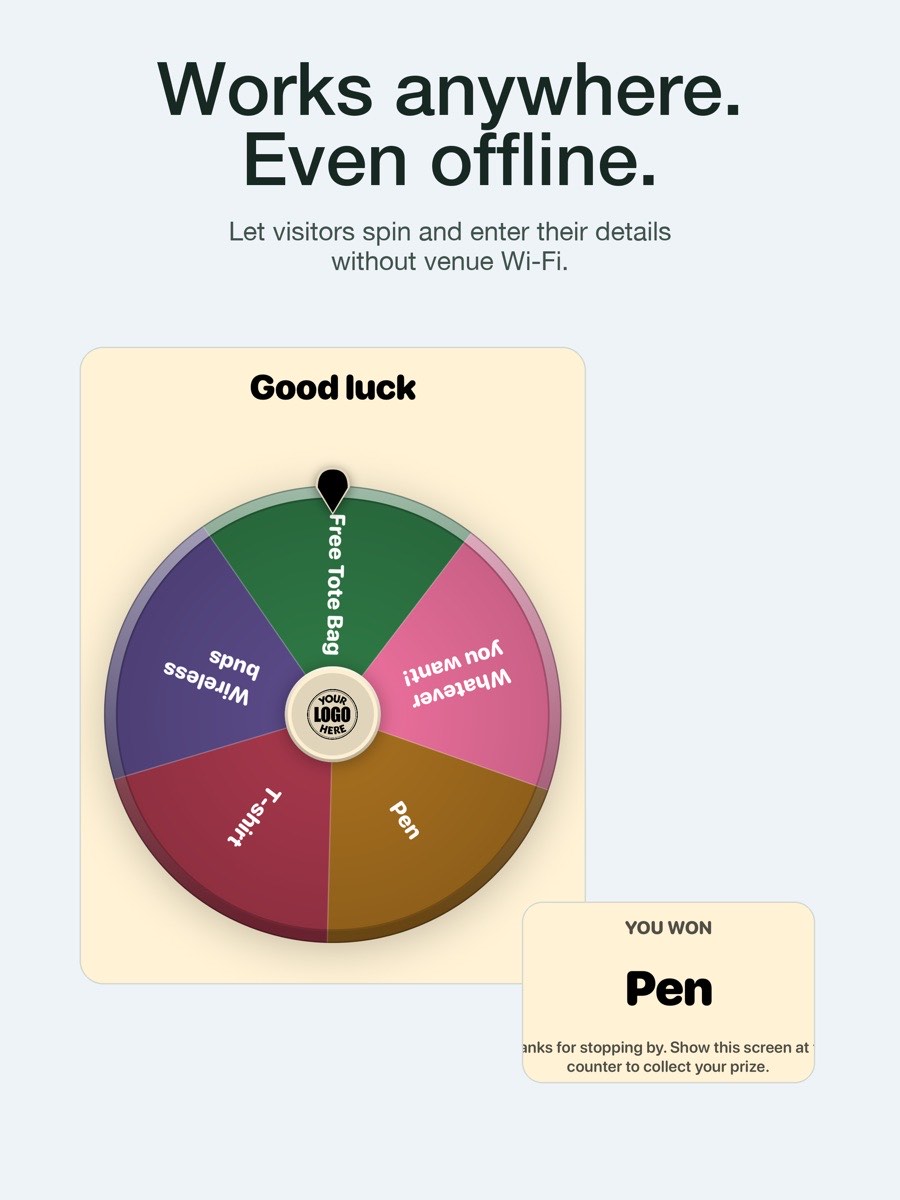
It is a real spinning wheel, drawn on the iPad screen, with the weight and momentum of the physical kind — and none of the freight.
A plywood prize wheel is a bulky, heavy thing to crate, ship, insure and store between shows. This one travels in the same bag as the iPad.
Retype the segments between shows, or between mornings, instead of re-lettering a physical wheel. Different booth, different prize list, same app.
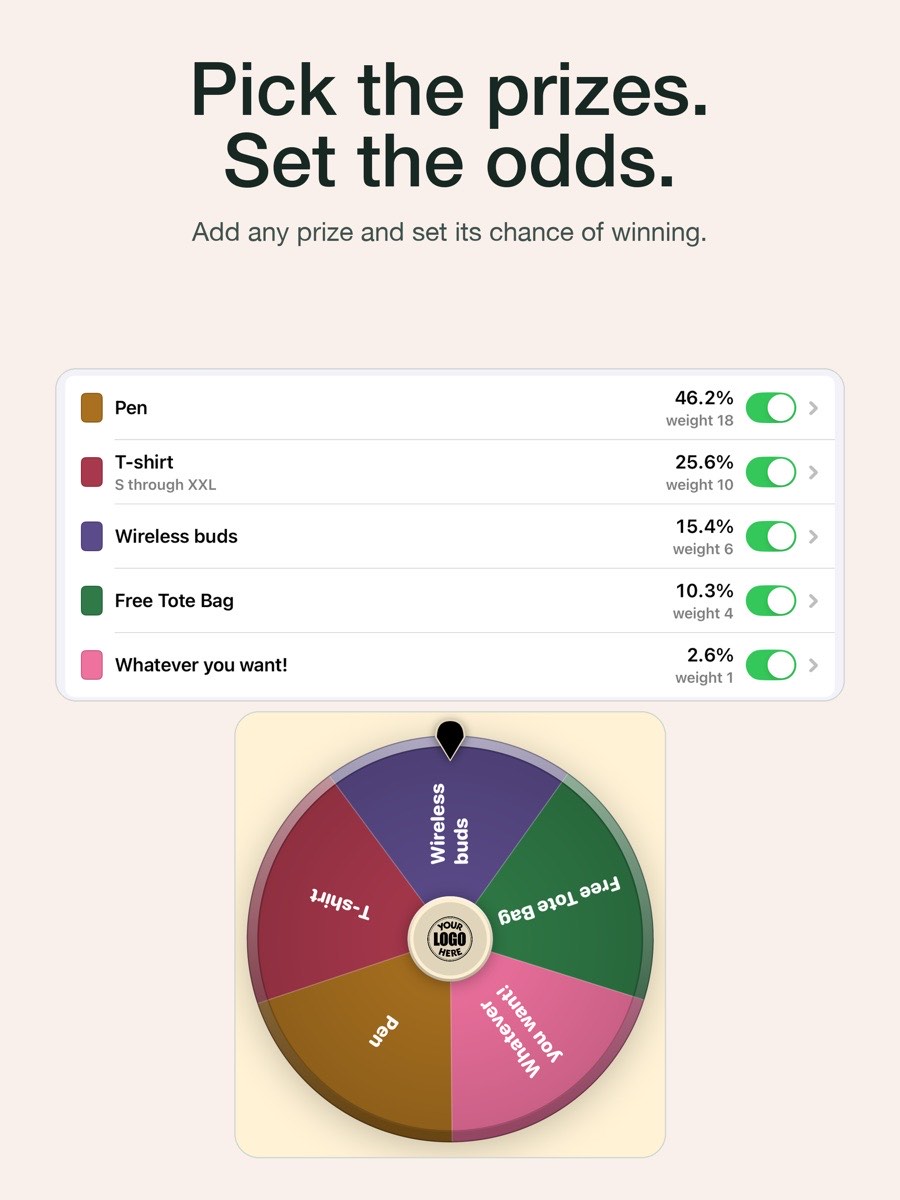
Give each prize a weight and a cap on how many go out. You can put one genuinely good prize on the wheel without hoping it simply does not land there.
That is the real difference. A wheel on a stand draws a crowd and then leaves you holding a clipboard. This one is the lead capture.
Everything in the app
An iPad prize wheel app, a lead capture form and an export, in one app with no subscription behind it. Every line below works with the device in airplane mode.
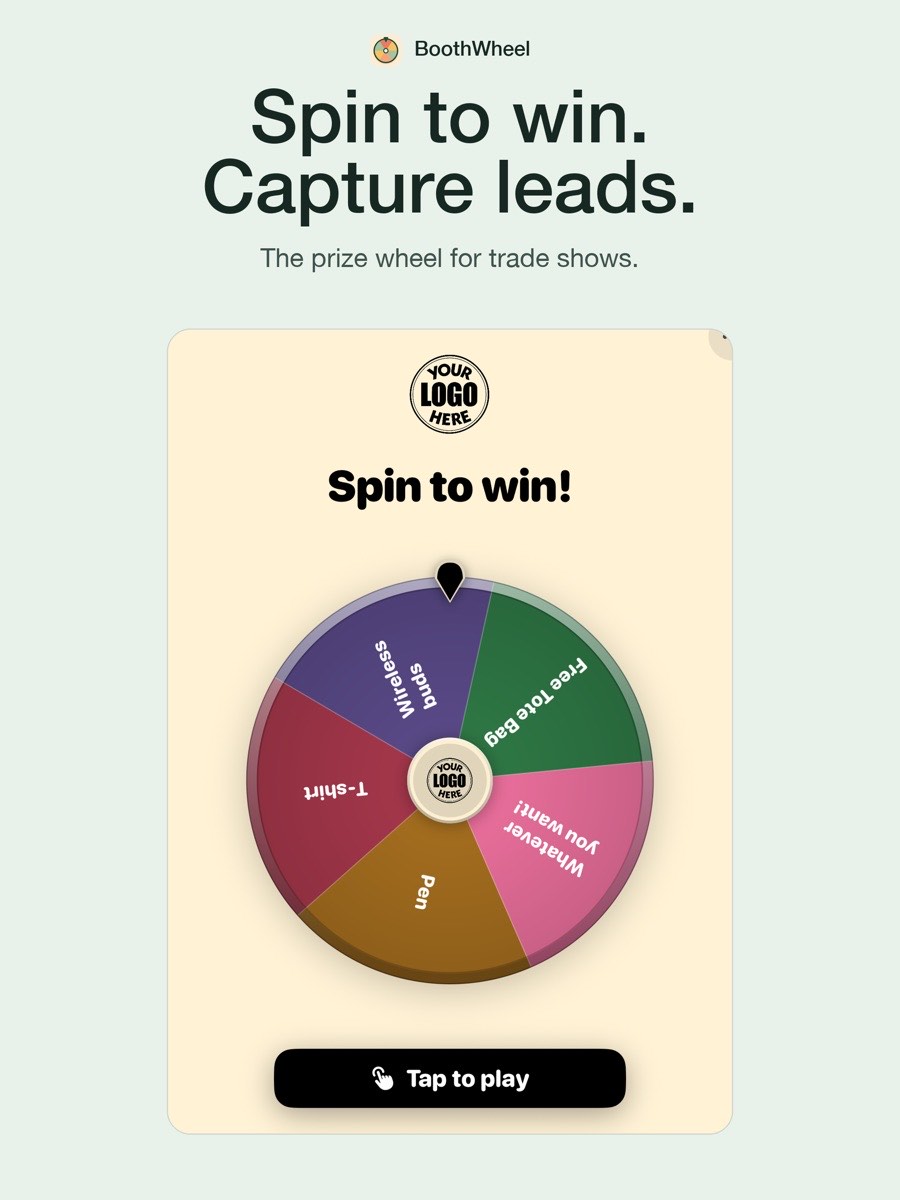
A spin-to-win wheel drawn on the screen with your own segments — the digital answer to a raffle drum or a plywood wheel on a stand.
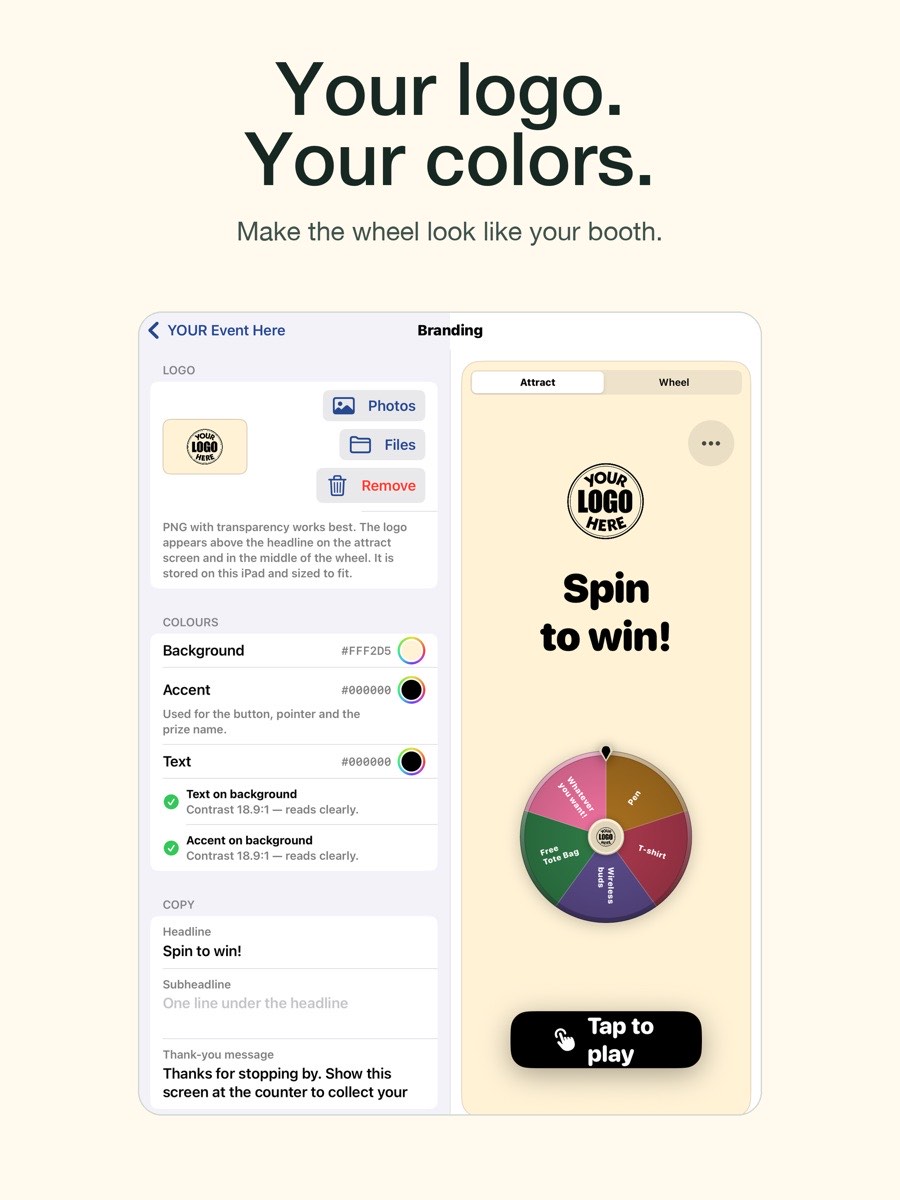
Import your logo, set the colors, and write the headline, subheadline and thank-you message attendees actually see.
A prize wheel with email capture built in. The attendee fills the form to earn the spin, so the lead is yours before the wheel moves.
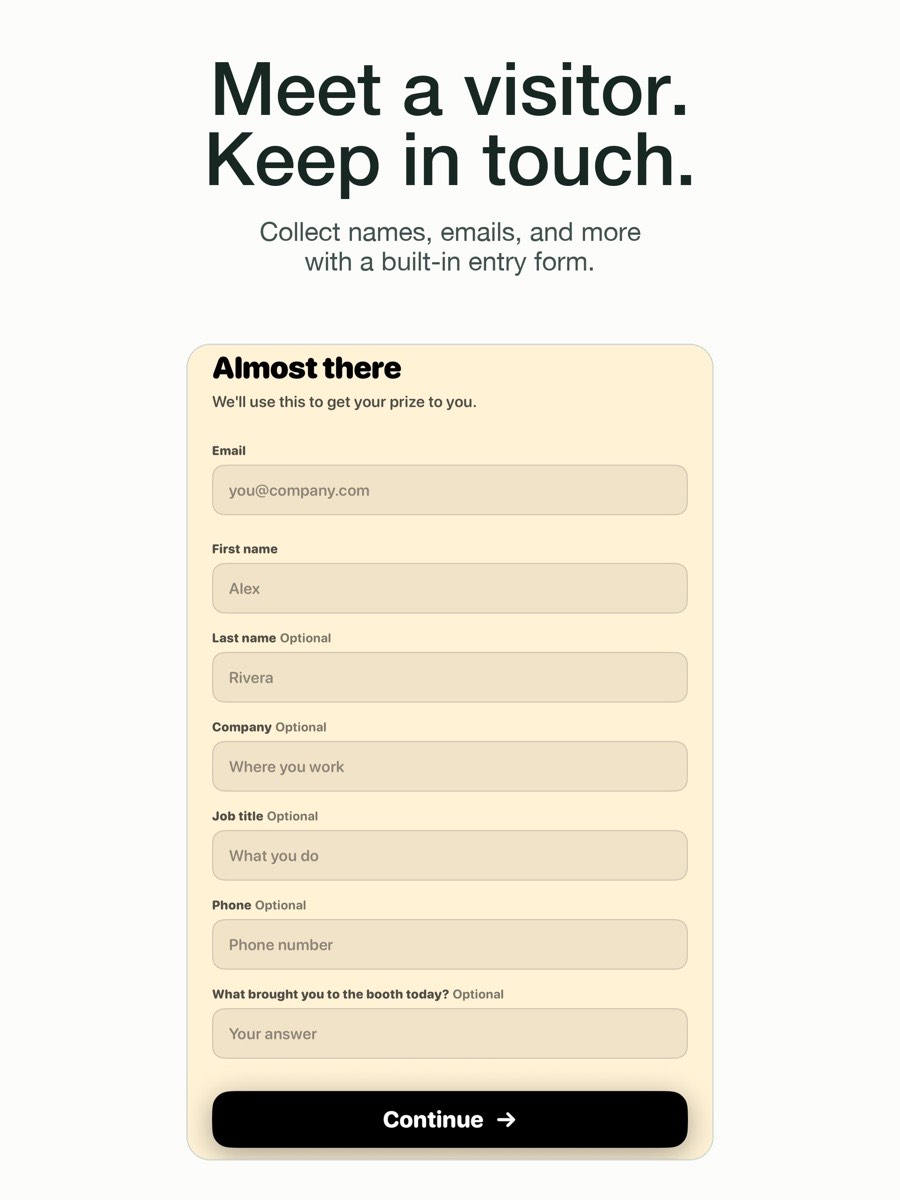
Choose which fields appear — first and last name, company, job title, phone — with email always required, plus one custom question of your own.
Weighted odds and a cap on each prize, so a trade show giveaway stays inside the budget you set for it.
Offline lead capture in the strict sense: no wifi, no cellular, no cloud account. Convention center networks cannot let you down.
A standard CSV for your CRM, your email marketing platform or a spreadsheet. It is generated on the device, so exporting works offline too.
The same email address cannot enter twice at one event, so nobody keeps spinning until the good prize comes up.
An optional opt-in checkbox, recorded against the lead, for when you need consent on file before you follow up.
Event settings sit behind a PIN, and it pairs with iPadOS Guided Access so an unattended iPad does nothing but run your wheel.
A separate configuration per show, each with its own branding, prizes and leads. Duplicate the last one rather than building it again.
Free to download and free to run a show with. Pro is one $59.99 purchase: no monthly fee, no annual contract, no per-event charge.
What it looks like
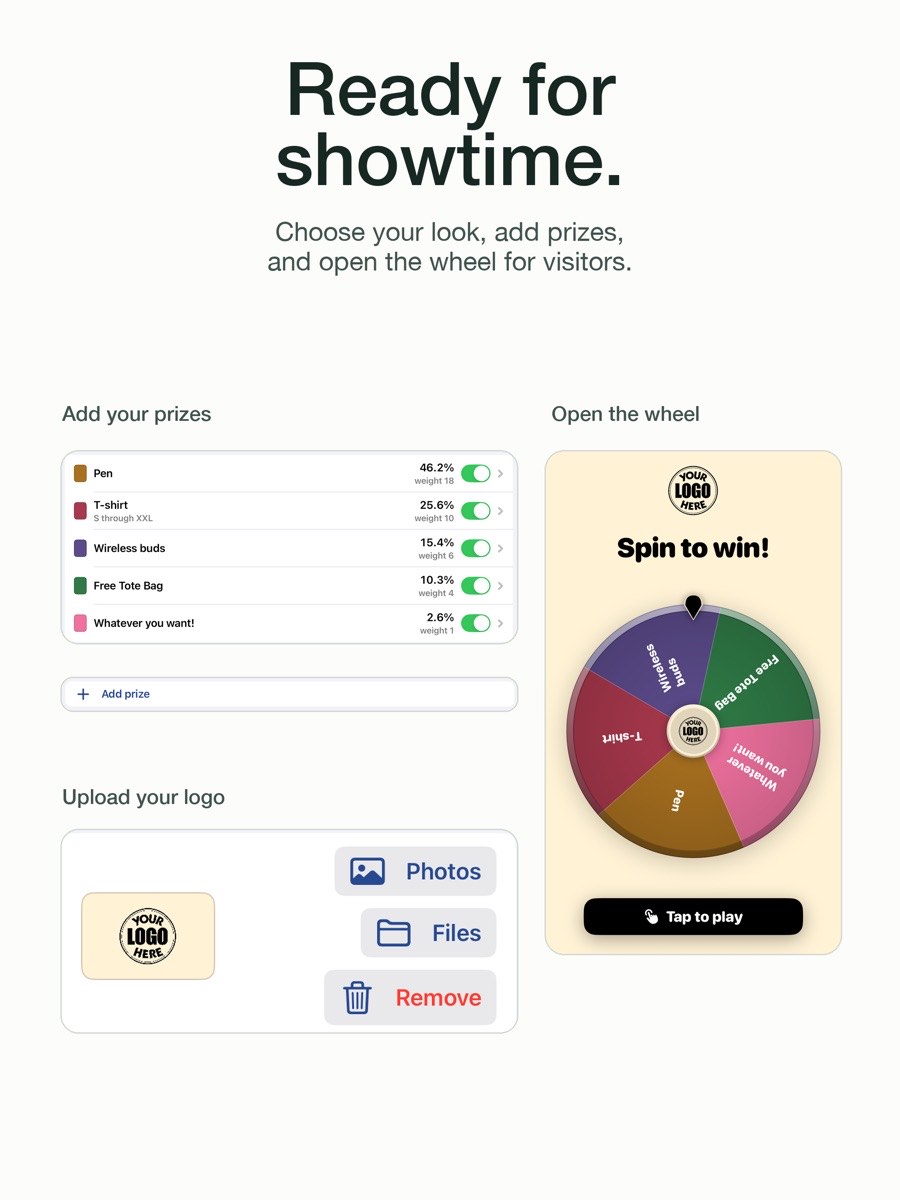
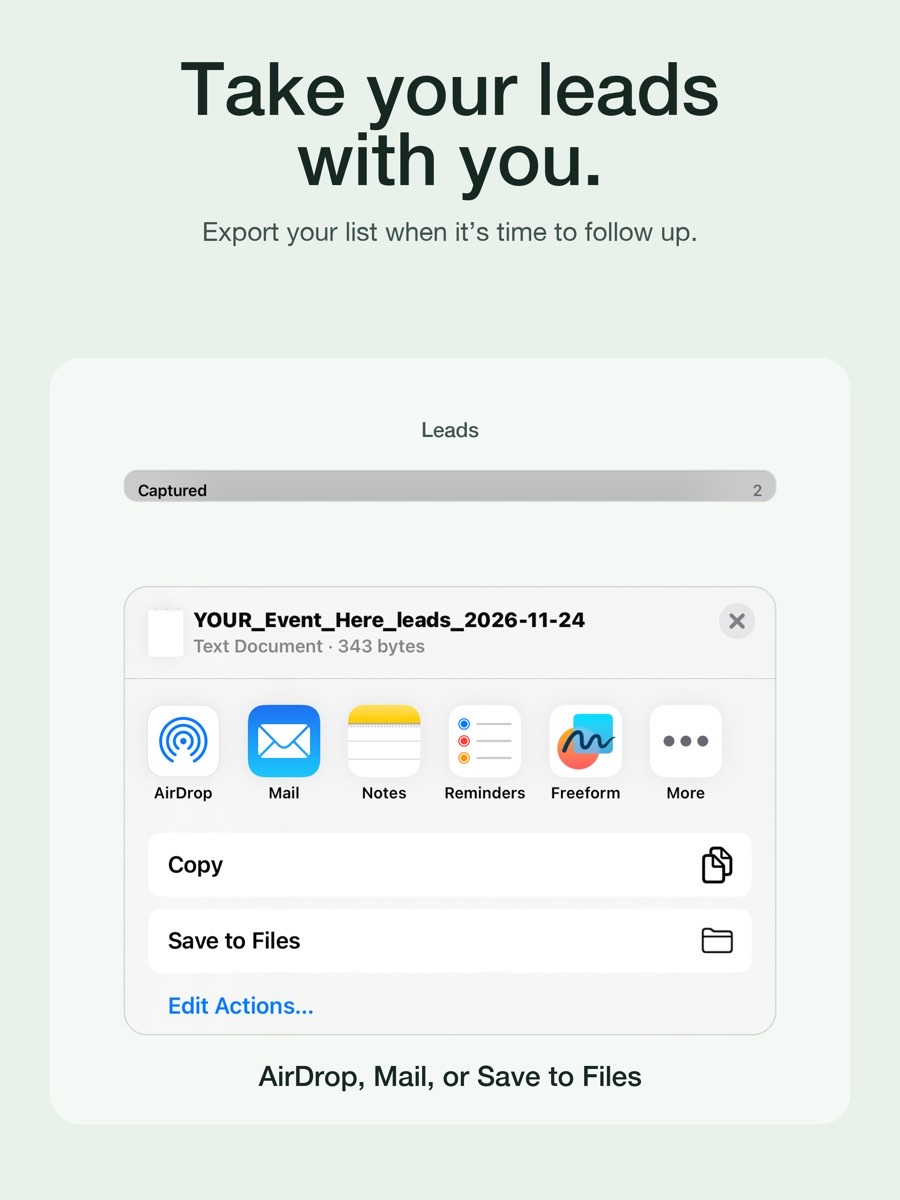
Seven screens from the App Store listing: what an attendee sees, what you set up beforehand, and how the leads come back out again.
Who it’s for
Anywhere a crowd walks past and you want a reason for them to stop, a spinning prize wheel and a lead form do the same job. BoothWheel does not change between them: one iPad, one event configuration, no network.
Each show gets its own event: its own branding, prize list and leads. Duplicate the last one and edit it rather than starting over.
How it works
None of them involve a clipboard, a rented badge scanner, or an attendee downloading anything.
An attendee fills in the form on your iPad. Email is required. Name, company, phone and job title are optional, and you decide which fields appear at all. You can add one custom question of your own.
The wheel turns and lands on a prize, using the weights and caps you configured. They see what they won and your thank-you message. The same email cannot enter twice.
At the end of the day you export a CSV and do whatever you like with it: a spreadsheet, your CRM, your mailing tool. No sync, no waiting, no portal to log into.
On the floor
The iPad is unattended half the time, the queue moves fast, and you cannot be troubleshooting software while a buyer stands there.
The entry is written to the device before the wheel starts animating. A crash mid-spin, a flat battery, or somebody closing the app does not cost you the capture.
The same email address cannot be used again at the same event, so one person cannot keep spinning until they get the good prize.
Staff settings sit behind a PIN, and it pairs with iPadOS Guided Access so the iPad does nothing but run the wheel until you unlock it.
Import your logo, set three colors, and write the headline, subheadline and thank-you message. Give each prize a weight and a cap on how many go out.
No account to create, no network to join, no sign-in. Open the app, pick the event, put the iPad on the counter.
Where the data lives
There is no cloud behind BoothWheel. What attendees type is written to that device and nowhere else. We never receive it, and could not look it up if you asked us to.
Because the leads live only on the device, a lost, stolen or wiped iPad takes them with it, and nobody can recover them. Export your CSV at the end of every day and treat that file as the real record. Each iPad keeps its own leads; nothing merges them for you.
You are the one holding attendee details, so the duties are yours too: telling people what you will do with their details, having a lawful basis, and honoring requests. The privacy policy sets out exactly who is responsible for what.
Pricing
The free version captures every lead in full. It limits only how many you can look at afterward.
$0
$59.99 one time
Download free on the App Store
No monthly fee, no annual contract and no per-event charge. A lead retrieval unit rented from a show organizer is typically billed per device per show. BoothWheel is bought once and used at every show after that. Purchases and refunds are handled by Apple at reportaproblem.apple.com.
Questions
BoothWheel is an offline trade show prize wheel and lead capture app for iPad and iPhone. A virtual spinning prize wheel on the screen draws attendees into your booth; each one enters their contact details, spins, and wins a prize you configured. The lead is saved to the device before the wheel turns, and you export the whole list as a CSV. There is no account, no sign-in and no internet connection required.
The app is free to download and free to run an event with, and the free version captures and saves every lead in full. Free events show the first 10 leads and cannot export. BoothWheel Pro is a one-time purchase of $59.99 USD that reveals every lead you have captured, including the ones taken while you were on the free tier, and unlocks CSV export. There is no subscription, no annual contract and no per-event charge.
Both. BoothWheel runs on iPad and iPhone with iPadOS or iOS 17.0 or later, and one purchase of Pro covers every device signed in to the same Apple Account. An iPad is the better booth device, because a bigger wheel is easier to see from the aisle and easier for an attendee to type on, but an iPhone works the same way and makes a useful spare.
That is what BoothWheel does. It draws a real spinning wheel on the iPad screen, with your own segments, colors and logo, and needs no hardware beyond a stand to prop the iPad up. You get the weight and momentum of a physical prize wheel without crating one.
Yes. Capturing a lead, spinning the wheel, checking for duplicates and exporting a CSV all happen on the iPad with no network connection. You can put the device in airplane mode for the whole show. The only time BoothWheel uses the internet is the one-time purchase of Pro, and after that it never needs a connection again.
Have attendees type their own details into a device that does not depend on the hall network, and keep the data on that device. That is exactly what BoothWheel does: the lead form, the duplicate check, the wheel and the CSV export all run on the iPad with no connection at all, so a dead network never costs you a lead. Every alternative has a weak point — paper sign-up sheets have to be transcribed afterwards, a fishbowl of business cards loses the context of the conversation, and a rented badge scanner stops dead when the organizer’s system or the hall wifi goes down.
Something turning at eye level stops people who would otherwise keep walking, and a free spin is a much easier thing to accept than a conversation. Because the form comes before the spin, you capture the lead at the moment they stop, not later if someone remembers to ask for a card. It also gives your staff an opening line that is not a pitch.
Yes. It is a virtual spinning prize wheel on the iPad screen, so there is no plywood wheel to crate, ship, assemble or store. You retype the prizes between shows instead of re-lettering segments, and the odds and per-prize caps are set in software rather than left to chance. A physical wheel also captures nothing on its own — somebody still has to write the name down.
Export a CSV from inside the app and send it wherever you like: a spreadsheet, your CRM, your email tool. The export is generated on the device, so it works offline. There is no cloud sync and no web dashboard, so the CSV is how leads leave the iPad.
It is an alternative, not a badge scanner. Lead retrieval units rented from the show organizer scan an attendee’s badge and are usually billed per device per show. BoothWheel captures details the attendee types in themselves, is free to use with a one-time $59.99 unlock, and keeps working if the hall wifi fails. It does not read badge barcodes and does not connect to the organizer’s registration system.
No. They use the iPad on your counter. There is no app for them to download, no QR code to scan and no sign-in.
Yes. BoothWheel Pro unlocks on every iPad signed in to the same Apple Account through Restore Purchases. Each iPad keeps its own leads, so you get one CSV per device. Nothing merges them automatically.
No. It is a single one-time purchase of $59.99 USD. It does not auto-renew and you will not be charged again. Purchases and refunds are handled by Apple.
You set a weight for each prize, which decides how likely it is, and a cap on how many times it can be awarded. The wheel makes a weighted random selection within those limits, so you can put one big prize on the wheel without giving away more than you planned.
Only on the iPad that captured it. BoothWheel never transmits lead data, and the developer never receives it and cannot access it. That also means backups are your responsibility: export regularly, because a lost or wiped iPad takes the leads with it.
The lead is written to the device before the wheel animation starts, so the capture is already saved. A crash, a flat battery or someone closing the app during the spin does not cost you the lead.
No. There is no account, no sign-up and no sign-in, for you or for attendees. Install the app and configure your first event.
Yes. Import your logo, set the branding colors, and write your own headline, subheadline and thank-you message. Attendees see your brand on the wheel, not ours.
Yes, with BoothWheel Pro. The export is a standard CSV file generated on the device, so it opens in Microsoft Excel, Numbers or Google Sheets and imports into any CRM or email marketing platform that accepts a CSV. There is no direct integration and no API, so the CSV file is the handoff.
Yes. Keep a separate event per show, each with its own branding, prizes and leads, and duplicate last show’s setup to edit rather than building it again. There is no limit on how many events you create, on either tier.
BoothWheel was built by Eden Mill Software LLC, an independent software company in Fallston, Harford County, Maryland, in the United States. The same people who wrote it answer the support email.
Download
A paper sign-up sheet, a fishbowl of business cards and a rented badge scanner all ask the attendee to do you a favor. A spinning wheel with a prize on it asks them to take one. BoothWheel is free to download and free to run a show with.
Download free on the App Store
iPad and iPhone, iPadOS or iOS 17.0 or later. Free to download; BoothWheel Pro is a one-time $59.99 unlock, with no subscription, no annual contract and no per-event charge.
Guides
Four pieces on the practical side of trade show lead capture — what the hall charges for internet, what a badge scanner rental really costs over a year, and how to set the odds on a prize wheel so the good prize stays rare.
What makes somebody stop in the aisle, and why the capture has to come before the prize.
What venue internet costs, the four offline options, and the airplane-mode test.
Stand, power, Guided Access, and how to weight prizes so the good one stays rare.
The four pricing models, what each costs over a year, and what to ask before you buy.
Support
There is no ticket system and no queue.
We reply within one business day. If you are mid-show and stuck, say so in the subject line and it goes to the front of the pile.
Useful to mention: your iPad model and iPadOS version, the name of the event, and whether you bought Pro.